
Voice, chat and files
● Current as at 5 September 2026, AEST
Station is the second brain I built to hold everything I’d otherwise forget. Most of it is reading and writing. This page is about the parts where it talks, listens, and handles the files I hand it — the evening phone call that speaks in a copy of my own voice, the chat that keeps what it makes and reads what I give it, a reader that opens a document before it downloads, and help that is written from the screens rather than about them.
Almost none of it arrived as a plan. Each piece exists because something was annoying, or slow, or quietly wrong in a way that looked exactly like it working.
Prefer to watch? Here it is in 85 seconds, narrated, with captions.
It speaks in my voice
A voice clone is a short recording of someone talking, turned into a synthetic voice that can say anything in that person’s timbre and cadence. Station has one of mine, and it is used for exactly two things: reading its own words back to me in chat, and talking to me on the evening call. That’s it. It never speaks to anyone else, it is never a way of proving who I am, and nothing I say is unlocked by it.
The first clone, from July 2026, was built the obvious way: sit down, read something aloud, use that. It sounded flat, and on 28 August 2026 I found out it wasn’t a matter of taste — it was a number. Measured against how I actually speak, that clone sat at 97.6 Hz where I sit at 120–150, with about half my pitch movement. It was flat because it was flat.
How the second one was made — mined, not performed
The replacement wasn’t recorded. It was found, in recordings that already existed: 61 kept meeting recordings, chopped into 95,297 overlapping 13-second windows, each scored for pitch range, loudness, background noise and clean edges. Survivors were checked against Station’s own voiceprint — which caught two windows that were somebody else entirely — and against naming anyone, because the reference clip is stored next to the clone. Candidates were then judged on the clone they produced, not on how nice the source sounded.
That turned up a second problem the first pass never measured: the room. My desk mic sits at arm’s length, so every meeting recording has reverberation in it, and cloning copies the room along with the voice. A measurement separated the two cleanly (close-mic recordings scored 1.15–1.23, desk-mic ones 0.83–0.89), and a de-reverberation pass moved it by 2% — not the lever. Two fresh close-mic phone memos were, and the voice Station speaks with today came out of one of them.
It also says database exactly the way I do, complete with the flat vowel — because its reference clip happens to contain me saying Dataverse. I specced a whole pronunciation-rules feature to fix mispronunciations, then shelved it: when a clone gets a word wrong, look for a reference clip that contains the sound before you write a rule about it.
Worth separating two things that both involve my voice. The clone speaks. A separate voiceprint listens: it recognises me in a meeting recording so that a colleague’s audio never gets treated as mine. One is a speaker, one is a doorman, and they never do each other’s job.
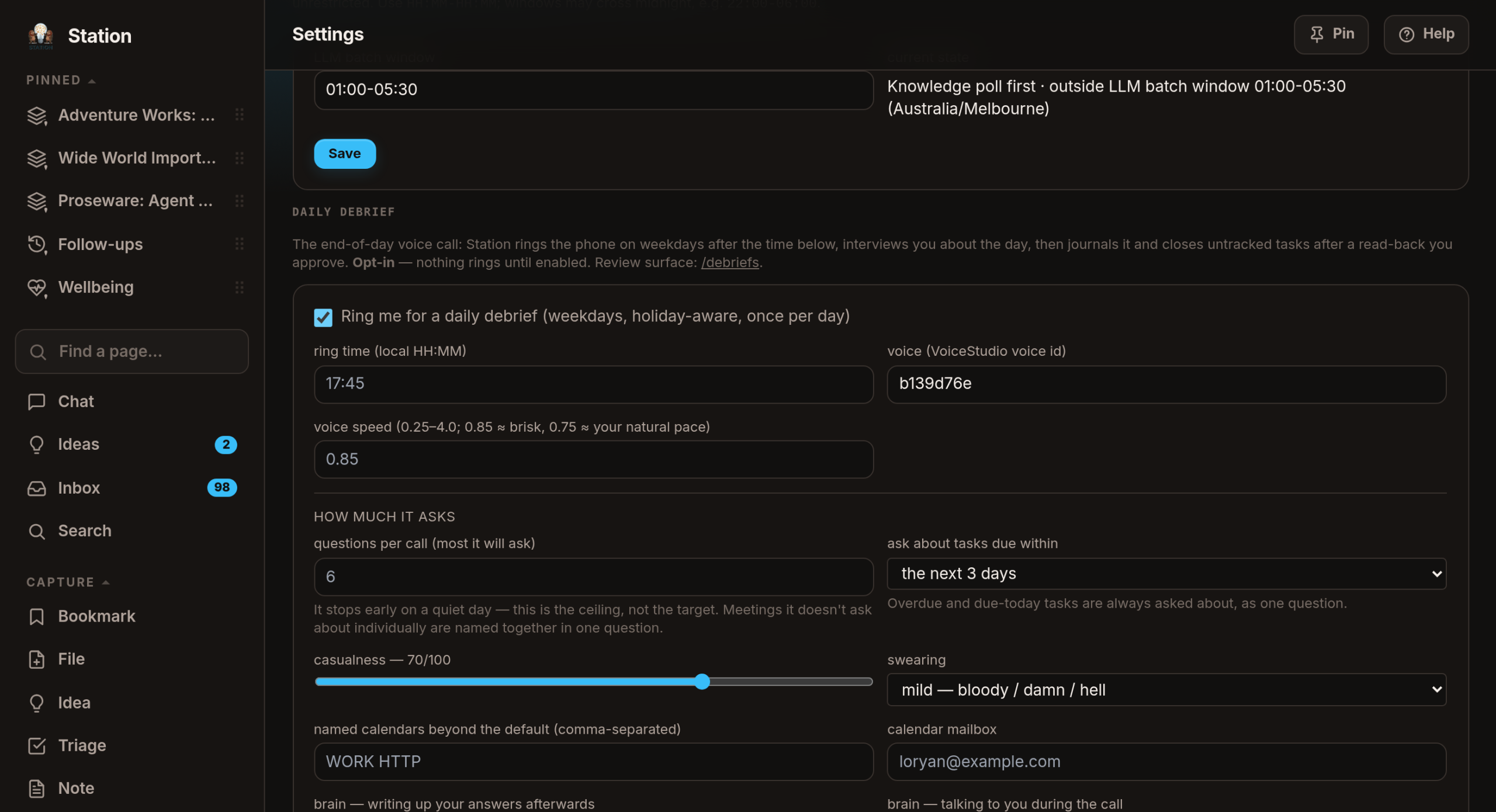
The evening call
On weekdays, after 5:45pm, Station rings my phone. I answer, it asks me about the day, and afterwards it writes what I said into the right projects and closes off the tasks I’ve clearly finished — after reading the whole lot back for me to approve.
It is opt-in, it is once a day, and until 18 August 2026 it was frankly tedious.
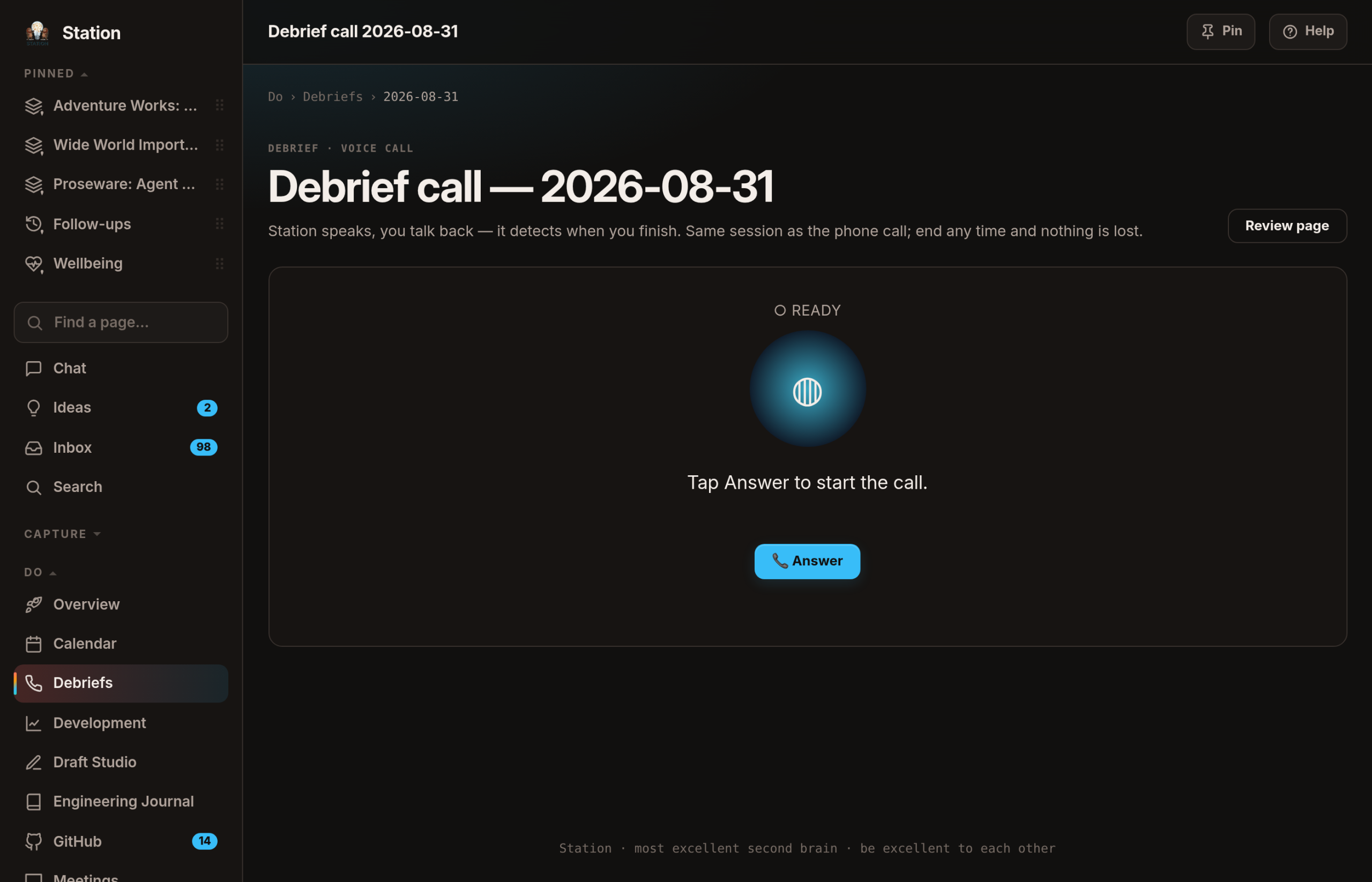
Two complaints, in my own words at the time: "it’s just running through my calendar appointments — all of them", and "I also want the conversation to be faster somehow."
Both were fair, and the first was literal: the agenda was my day, verbatim, one question per entry, up to ten of them. One July call asked me about the 9:30, the 10:05, the 11:00, the 11:30, the 12:30, the 2:00, the 4:30 and the 6:00, and got back "that was just a participation", "nothing worth writing down", "just a fade".
So now the day is triaged before the call into three buckets, each with a reason I can read afterwards:
- ● Asked — worth a question of its own.
- ◐ Swept — the recurring stand-ups and broadcasts, gathered into one question that names them all, because being quietly second-guessed was not acceptable and neither was being asked to remember what "the 10:05" was. Say "nothing much" about the same recurring meeting twice and it stops asking; a button on the session page starts it again.
- ○ Skipped — declined invites, blocks with nobody in them, and anything personal.
Six questions is a ceiling, not a target: two one-word answers end the walkthrough, three end the call.
The personal-appointment rule, which I got wrong first
On 18 August 2026 the call asked me about a personal appointment, by name, twice.
The rules had worked exactly as written, which was the problem. A self-booked video appointment scores like an important meeting — I organised it, it’s one-off, it has a dial-in link. The keyword list knew "dentist" and didn’t know the word that mattered. And even a skipped entry still had its title pasted into the model’s prompt with a stern "never mention this" attached, which is not a control, it’s a hope.
It is layered now. My own calendar’s flags — sensitivity, a Personal or Health category, a personal calendar — are absolute. Everything else gets a once-a-day judgement of "is this personal in nature?", erring private: anything the model won’t vouch for as work is skipped. Word lists survive only as the degraded fallback, and they finally cover more than the obvious appointments. A skipped entry’s title never enters any prompt at all — the session page still shows me the row and the reason, so I can overrule it.
Why it used to take so long, measured rather than guessed
Nothing in the call was timed, so "make it faster" had nowhere to start. Reconstructed from real message timestamps on 18 August 2026: the thinking took 4.6–6.3 seconds a turn, and 10.6 to 30.7 seconds passed between Station finishing a sentence and my next answer landing — 13.6 seconds even for "No."
It was a fully serial pipeline: think, then make the audio for the whole reply, then play it slower than I speak, then wait for silence, then transcribe. So now it streams — Station speaks first and does its bookkeeping last, so the audio is made sentence by sentence and playback starts on sentence one.
And measuring the real thing changed the design. The call now runs on the small model on my own hardware, because the cloud model’s "streaming" turned out not to stream at all — first word at 8.9 seconds of a 9.3-second turn — while the local one answers the same question in 0.4 seconds. Writing up my answers afterwards still goes to the better model, where quality matters and nobody is waiting. If the local machine is asleep, the call falls through to the cloud rather than saying "lost my train of thought" at me all evening.
One more thing measuring caught: the local model reliably asks a good next question and often forgets the line that says which item it just covered — so the same question came back four times and the call could never end. It now moves on by position: I answered whatever was actually asked.
The phone can also snooze the call — 5, 10 or 15 minutes. That promise was broken in two places until 13 August 2026: a snooze taken at 8:55pm was written off as expired five minutes later, and the ring window refused to ring past 9pm anyway. Now a snooze I asked for is treated as an appointment; it survives, and it may ring in a grace hour up to 10pm, while a call nobody deferred still stops at 9pm exactly as before. The scheduler also went from checking every five minutes to every minute, so "snooze 5" means five minutes rather than up to ten.
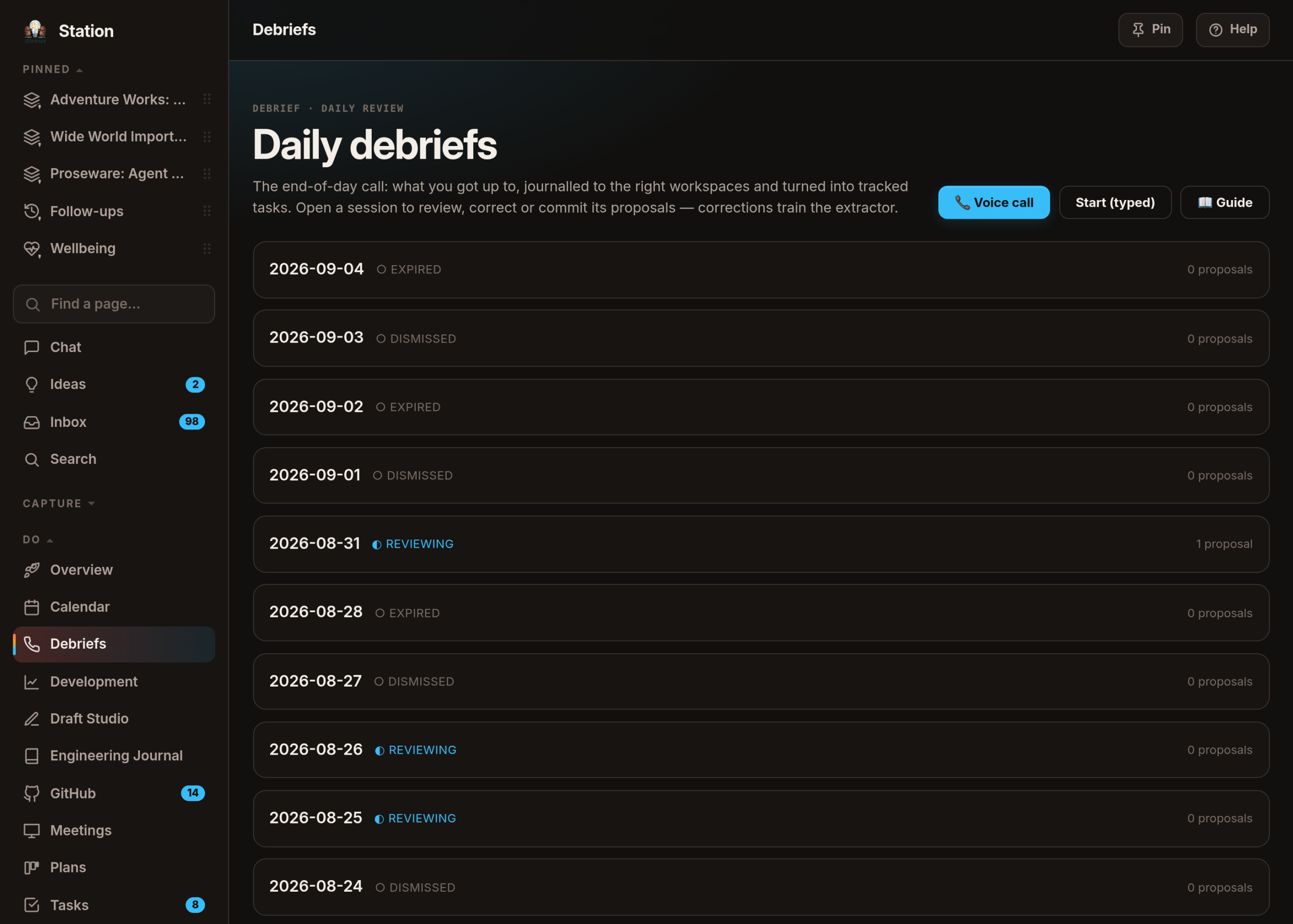
Chat keeps what it makes
Ask Station’s chat for a spec, a script or a working page, and since 1 August 2026 it comes back as an artifact: its own card with a title, a copy button, a download, a full-page view and a version history. Not buried in the transcript, where the useful thing is a wall of text between two other walls of text.
Say "make it shorter" and it saves v2 rather than rewriting from memory — the current version rides along so it knows what it already wrote.
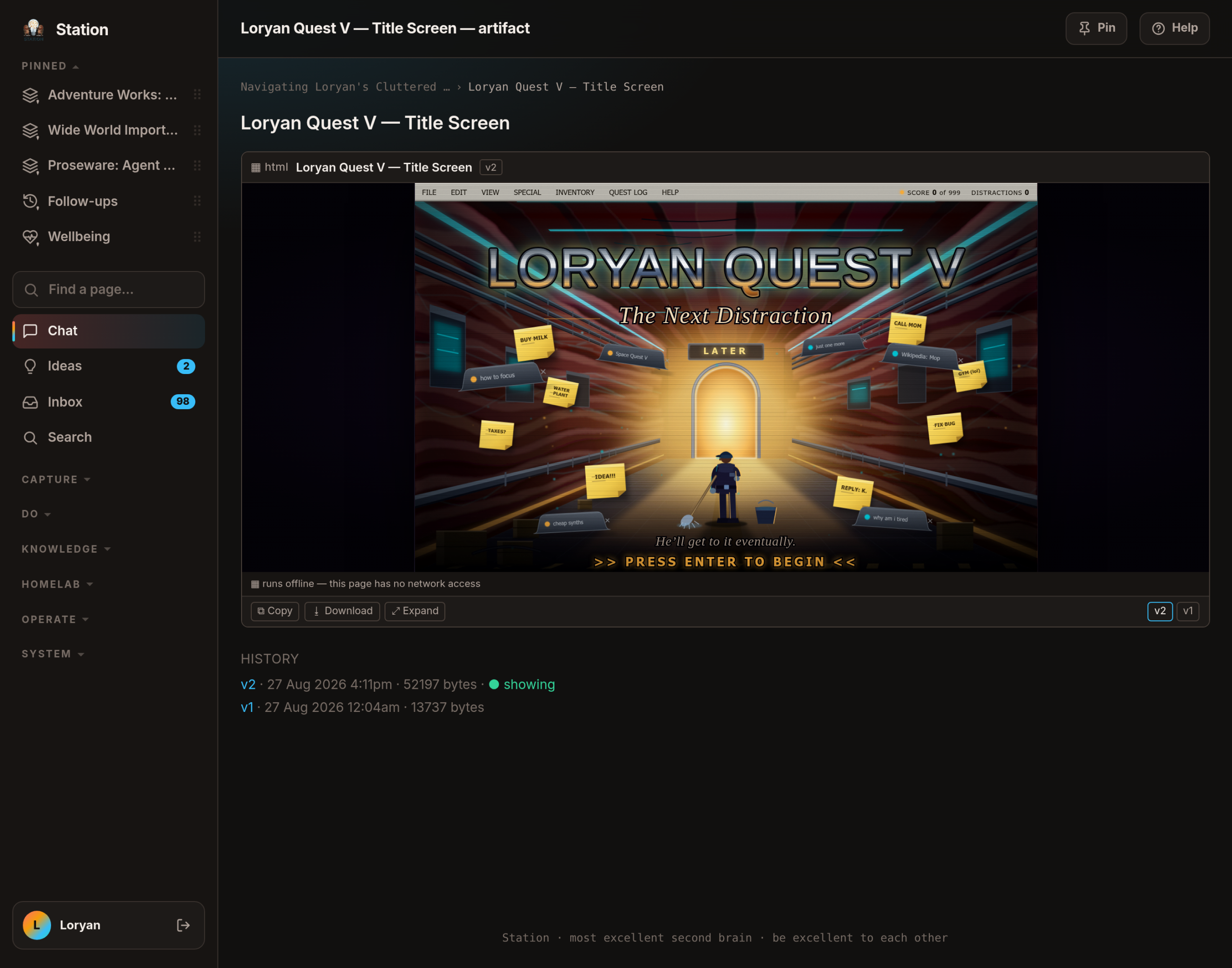
Three kinds: a document, a code file (highlighted, and it downloads with the right extension), and html — a small working page. That last one is the interesting one, because a page a model wrote is a page I didn’t write, so it runs in a hard sandbox with no network access at all. The card says so in as many words: runs offline. The trade-off is real — an artifact that wants to fetch something from the internet doesn’t get to — and it’s the right way round. There’s an automated test that drives a deliberately hostile artifact which tries to read my session, call Station’s own endpoints and navigate the tab, and checks that each attempt fails.
The other rule is that nothing is ever discarded. If Station can’t parse what the model announced, the text stays in the reply exactly as written. The failure mode has to be an unstyled answer, never a missing one.
Chat reads what I give it
Since 31 July 2026 I can paste a screenshot straight into the chat box, drag files onto it, or use the paperclip — several per message, each one removable until I send. Each file uploads on its own with a real progress bar, so one bad file doesn’t take the whole batch with it, and a 6 MB screenshot doesn’t just look like the page has hung.
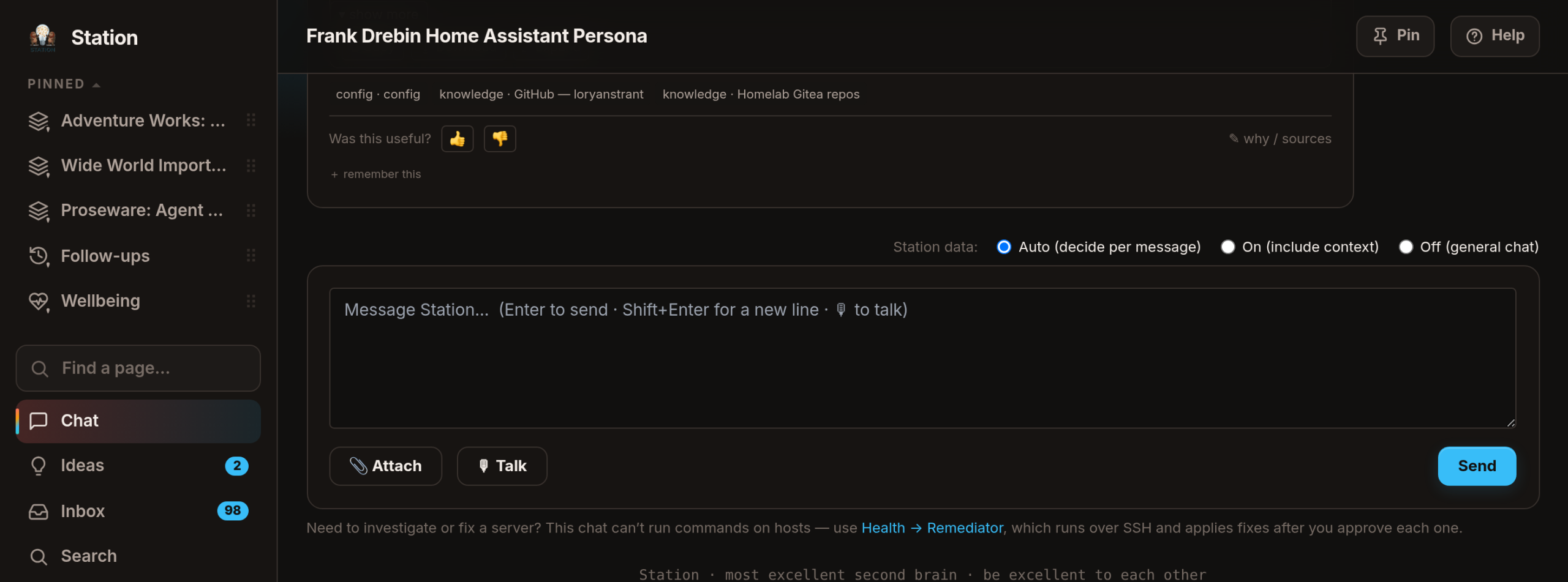
Attachments work in every kind of chat, not just the main one: the homelab troubleshooting agents, the interviews Station runs about my own kit, and the typed version of the evening call. Pasting a picture of a broken dashboard into the thing that fixes dashboards turns out to be the entire point.
What the model actually gets, and why it’s told when it doesn’t
A document’s text is attached to that message only, not to the standing instructions — otherwise a PDF sent once would be re-sent on every turn for the rest of the conversation, which is exactly what the budget exists to avoid. Later turns carry a one-line note that the file existed, so the model can ask for it back.
Every truncation says so in the text the model sees, and so does every file that couldn’t be read at all. That rule matters more than it sounds: a file the model never received must not look like one it ignored.
There’s a check on the actual bytes of every upload, not on what the filename claims. An HTML file renamed to .png is rejected. Certain scriptable image formats are refused outright, and a photo format the previewer can’t show is stored and honestly flagged rather than rejected with no explanation.
For a while images uploaded, displayed and were stored, but no model could actually see them. Rather than quietly dropping them, every message with a picture told the model, in writing, "you cannot see this image — do not guess at or describe its contents." Hand a model a filename without that line and it will cheerfully invent a description, and an invented description of the dashboard you’re debugging is worse than no answer at all.
The day it forgot my files
14 August 2026. I attached four images, agreed a plan over two turns, said "yes please, go with option A" — and got back a long, articulate apology explaining that the files weren’t on any disk it could reach, that a tool it had used ten minutes earlier wasn’t connected, and that the work it had just described doing had never happened.
Two of those three claims were wrong, and the first one was my fault.
An attachment lived for exactly the turn it was sent on. The follow-up turn ran with no files — and, because permission to look at anything is only granted when there are files, with no ability to look anywhere at all. The model reported precisely what it could see. It had no way to tell "these were deleted" from "these never existed".
So pictures now live for the conversation: the images from the last eight messages are re-sent every turn, newest first, with the current message’s own attachments taking their places first. Anything that no longer fits is named rather than quietly dropped, and the reply says how many came from earlier.
The second half was funnier. The tool it said didn’t exist had been connected the whole time — the project it had created earlier in that same conversation was still sitting there. But nothing had ever told the chat what tools it has, so finding one was luck and a failed search became "that capability doesn’t exist". Every turn now names what’s connected and says: search for the tool before you tell someone it isn’t there. That paragraph is stripped back out when the local model answers, because that one genuinely has no tools — the same honesty rule as the note about the images.
Who actually answered?
Chat replies used to run sentences together whenever the answer involved looking something up — "…and also look it up.It’s not in your local files." The renderer was innocent: a turn that uses tools produces several separate blocks of text, and they were being glued end to end with nothing in between. Fixed at the source on 6 August 2026; messages sent before then stay broken, because the seam is genuinely unrecoverable.
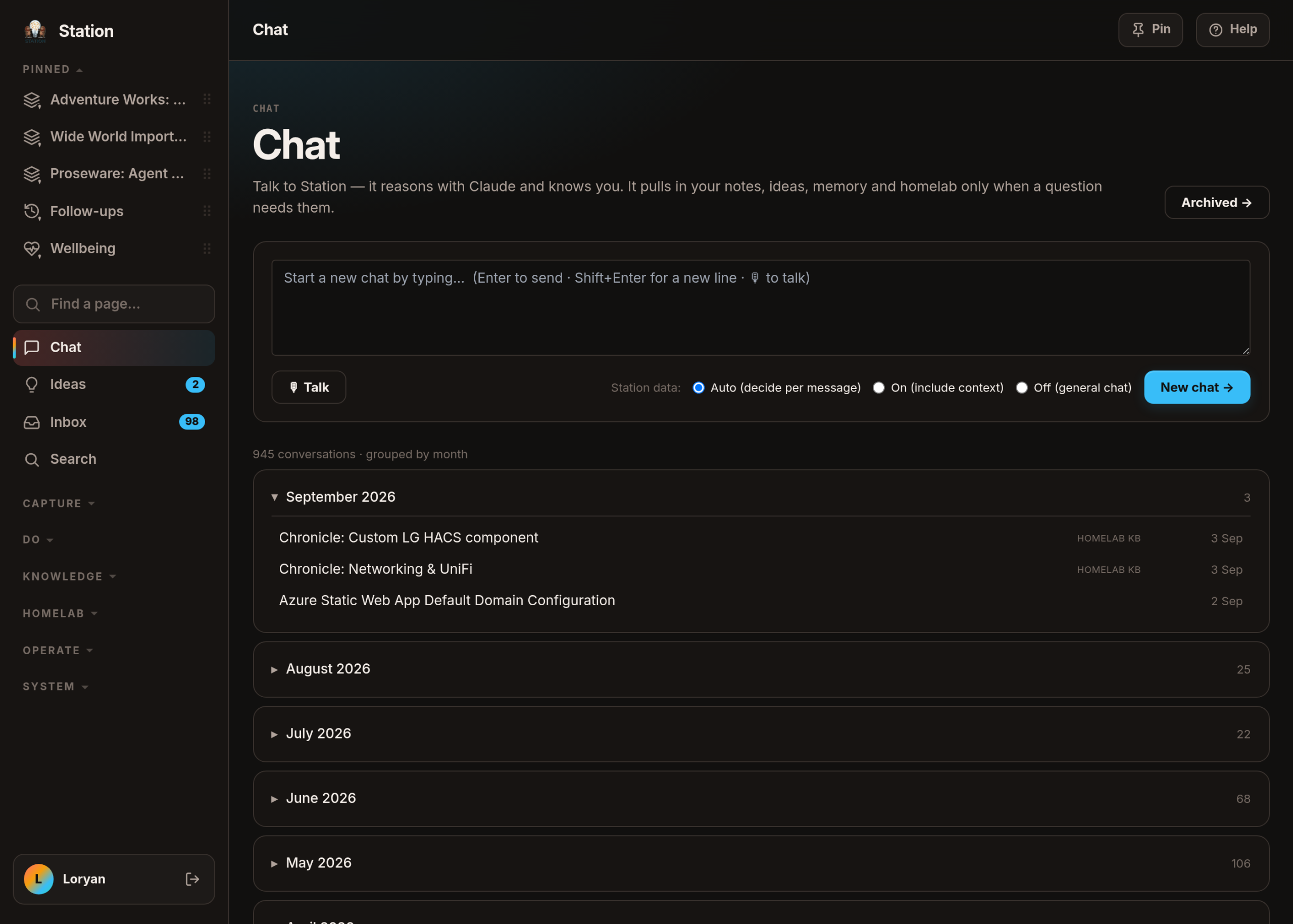
Every reply now carries small badges saying who answered and what they used: ● Claude, or ◐ local model when the cloud one wasn’t reachable — expect a shorter, blunter reply — plus whether the answer used my own material, and whether an attached image was actually looked at.
That last one isn’t decoration. On 23 August 2026 a sign-in expired overnight and Station spent a morning answering on the small local model instead, with no signal anywhere. Three pages were published that morning on the fallback before anyone noticed. The badge is what stops that being invisible.
Files open before they download
Every document I’ve given Station lives in one library: scopes of work, decks, spreadsheets, PDFs, notes exported from somewhere else. Station reads what it can out of each one, writes a short summary, and makes the contents searchable alongside everything else.
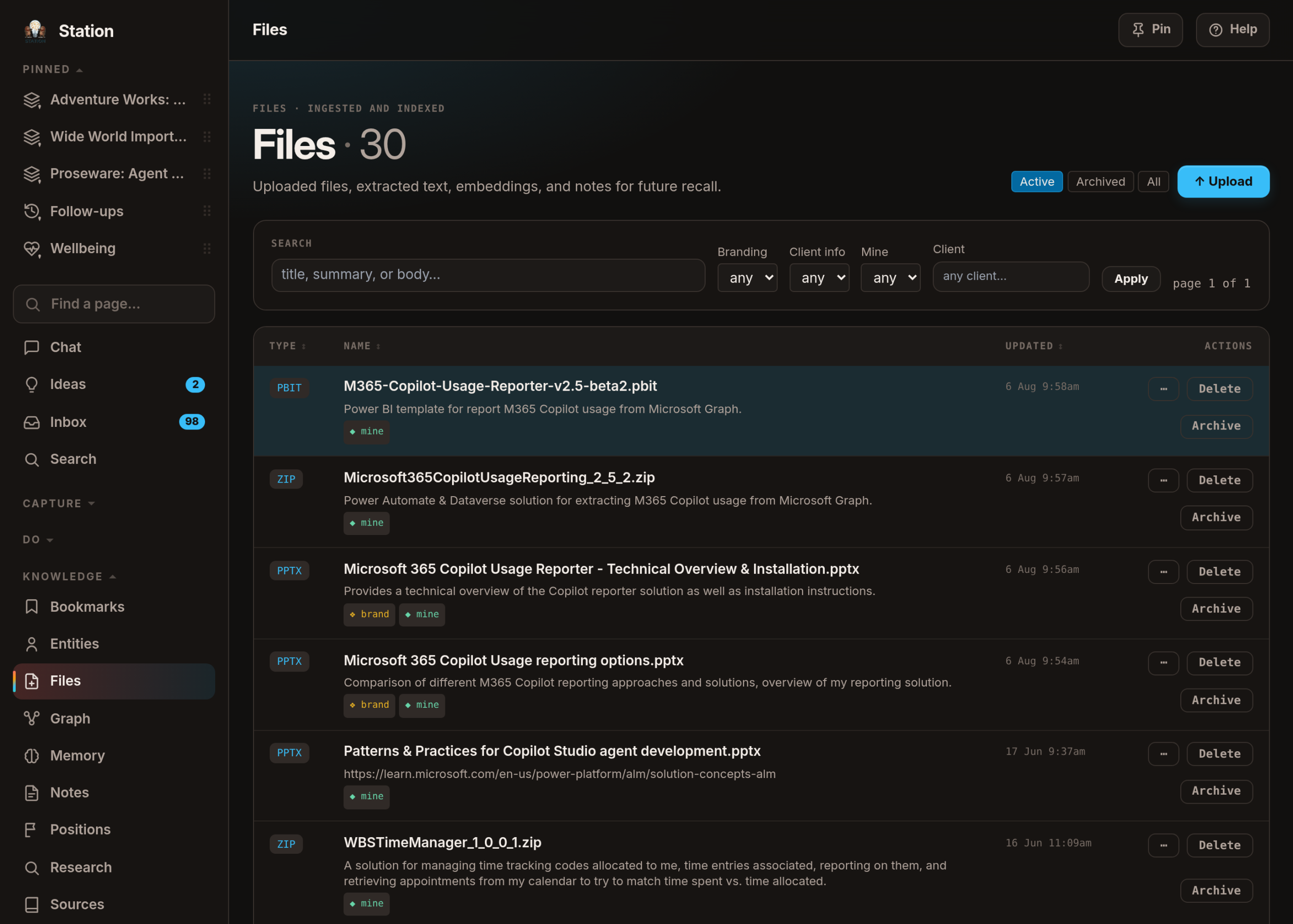
Until 24 August 2026, "opening" one of them meant downloading it. Now clicking a filename opens a reader, with two modes: As it looks and Just the text. PDFs and images use the browser’s own viewer, plain text and code are rendered by Station (highlighted, with a copy button), and Word, PowerPoint and Excel files are drawn by renderers that run entirely inside my browser — no conversion service, nothing sent anywhere, no credentials reachable by the thing doing the drawing. On a phone the reader becomes a full-screen sheet.
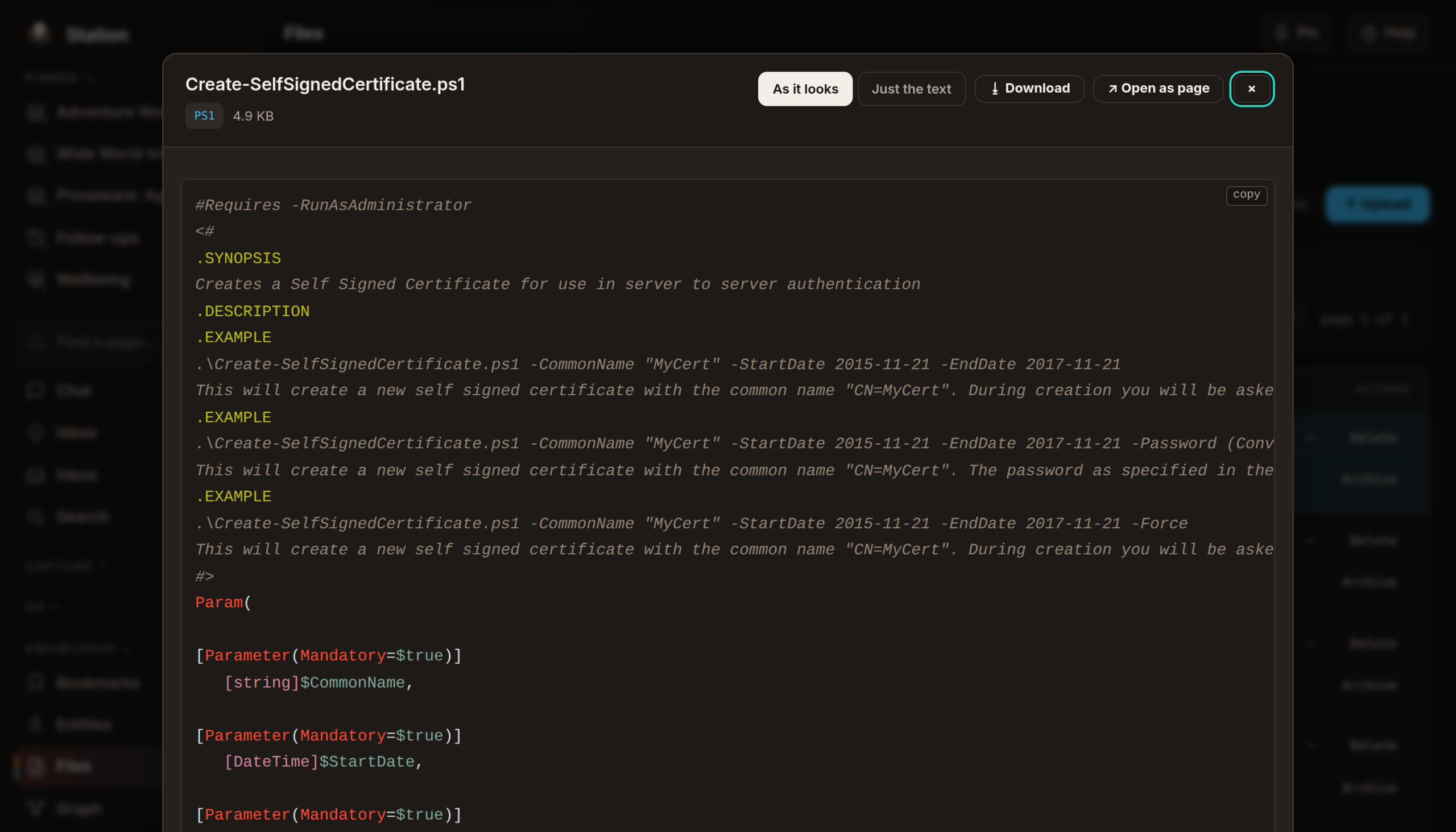
Two honesty rules came with it. A file Station can’t show says why, instead of silently downloading or showing a blank panel. And an Office file whose charts or diagrams the renderer might quietly omit says so before you read it — because a preview that looks complete and isn’t is worse than one that admits its limits.
Uploading stopped asking four questions
Uploading anything used to mean answering the same four yes/no questions every single time: is this corporate branding, does it name a client, does it need scrubbing before reuse, and is this my own writing. All four now start at No, so a routine upload is pick files, press Upload. Every answer is still there and still editable; uploading into a work project is the one exception, where the client question is pre-answered Yes with the names filled in, because that’s the case where getting it wrong actually costs something.
The panel takes up to twenty files at once, answered once for the batch, with a per-file note where one of them needs context the others don’t. Each row reports itself: ○ waiting, ◐ 40%, ● saved, ● already saved — that last one with a link to the copy Station already had, because a duplicate is not an error — or ○ and a reason, with a Retry, while the rest carry on regardless.
Help written from the screens
My own words for the problem: "because Station has become so big and complex and powerful, I sometimes forget how things might work." Fifty-odd areas, ninety-odd screens, most of them built by me, several of them explained nowhere.
Every page now has a Help button in the top bar, and it opens a panel about the page you are on — what the controls do, in the order you meet them, with an ask box at the bottom for the thing the guide didn’t cover.
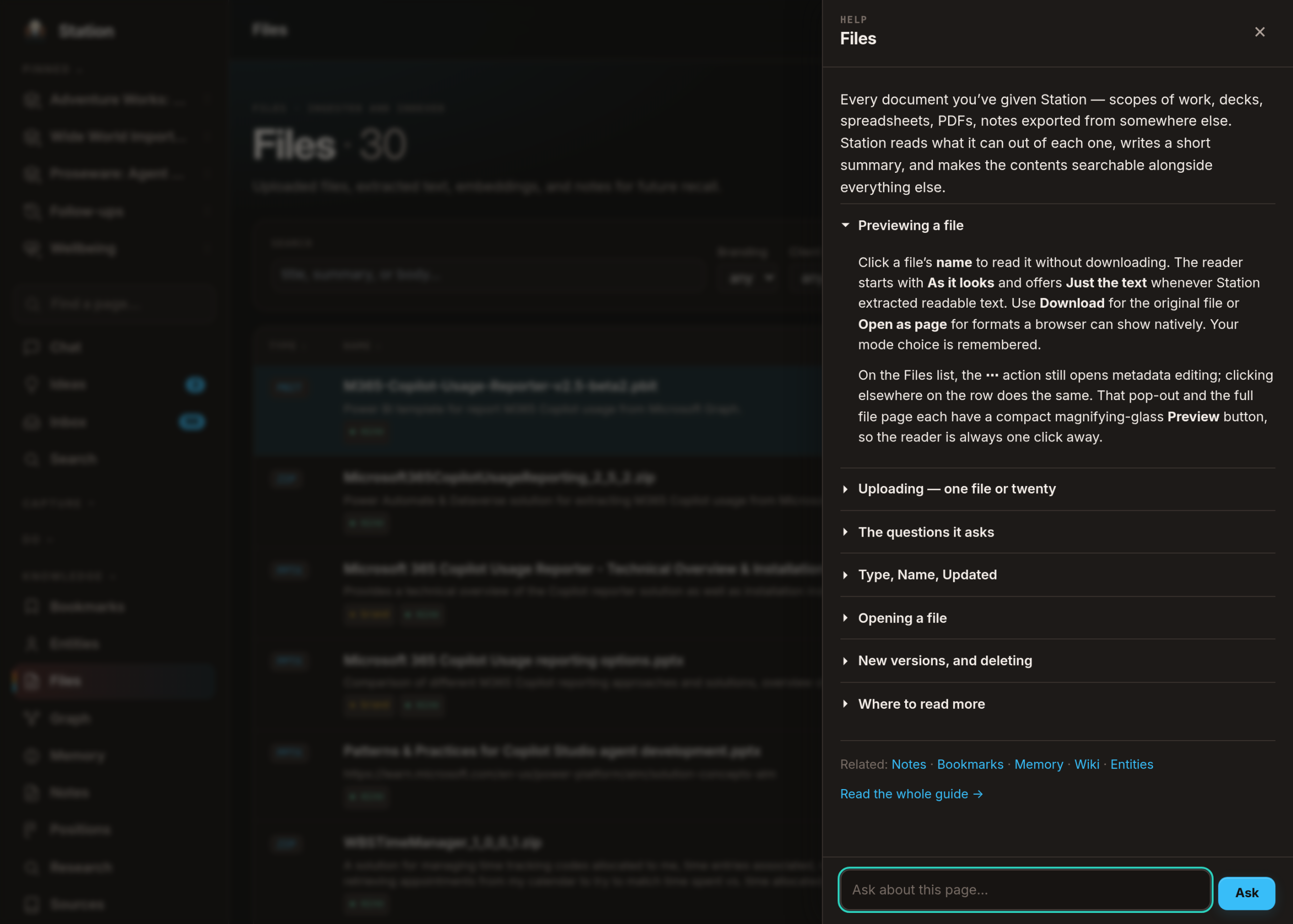
The load-bearing decision was not the panel. It was what the ask box is allowed to read.
Station’s ordinary chat is good at reaching into my own notes and memory when a question needs them, and reusing that here was the obvious move and the wrong one. You open help because you are already unsure; an answer that mixes "here is what this screen does" with three of your own tasks gives you a second thing to disentangle — and it quietly turns every screen in the app into a place my private material can leak out of, on behalf of a feature whose whole job is explaining buttons.
So the help box grounds in Station’s shipped documentation only, and the boundary is structural rather than instructed: the help path returns before any of the machinery that reaches into my own material is even reached. It isn’t filtered out. It is never on that path. The model is also told it can’t see my data — so a question about my tasks gets a clean "ask that in Chat" instead of a confident guess — but that sentence is the courtesy, not the control.
Making the guides stay true — and the two that were already wrong
Written help rots the moment a screen changes, and the person least likely to notice is the one who changed the screen.
So since 27 August 2026 the rule is enforced rather than remembered: change a screen’s template and the change is refused until that screen’s guide has been re-read and updated in the same breath. Its first run caught two guides already trailing — Search and Chat, both moved by work merged hours after their guides were written, on the same day they were written.
Two holes in that gate were closed the same week. Parts of a screen that appear only when you press something — the file reader, the upload panel — belonged to no guide at all, so an entire feature had shipped in places the gate could not see. And credit for touching a guide used to last the whole branch, so one early edit satisfied every later change; four changes had already ridden a single stale touch. Credit now expires after one commit.
A sweep of the help content itself, at the end of August, found what you’d expect once you go looking: two overlapping accounts of the same feature, one of which contradicted itself inside a single paragraph, and a claim that four upload questions were "deliberately required" — true when written, false since the day the defaults changed.
What this isn’t
Three limits worth stating plainly
The voice is not an identity. It reads Station’s own words back to me. It doesn’t authenticate anything, it doesn’t speak to anybody else, and it exists on my own hardware. The system that decides what it says never gets to decide that it says something — the call rings once a day, on weekdays, and only if I’ve turned it on.
Chat can’t touch my machines. It reasons, it reads, it writes things. Anything that has to actually change a server goes through a different door, which works over a proper connection and asks before each change.
A source says what it teaches. Station learns how I write from things I’ve written — and on 13 August 2026 I found it had been learning my "voice" from 55 wiki pages I barely touch and 25 project readmes largely written by an AI. Eighty of the roughly 190 facts describing how I write came from text I mostly hadn’t written. Every source now answers two separate questions — does this teach Station my voice? and can this be used to answer my questions? — and turning the first one off retires the facts that source already contributed, because a switch that leaves them in place hasn’t changed anything.
Every screen above is from a development copy of Station, not the live one. More: The daily rhythm → · Station builds itself →.