
Work: a Microsoft 365 for one
● Current as at 5 September 2026, AEST
My day job is Microsoft 365 consulting. I spend it inside the most complete set of productivity tools on the market — and they still don’t know each other. The plan lives in Planner, the notes in OneNote, the tasks in To Do, the files in SharePoint, the thinking in a Copilot chat that forgets me the moment I close it. Each one is good. None of them is mine, and none of them holds the whole of me.
So I built the version I actually wanted: a Microsoft 365 for one. A place that takes the useful part of each of those tools — sometimes reduced, sometimes improved — and puts them around a single idea: one project, one workspace, everything about it in one place, and a system that learns how I work from what I make there.
Two things before anything else, because they decide the whole design:
- I choose not to store anything sensitive or commercial in here. No client secrets, no pricing, no anything I’d be uncomfortable seeing on a screen. What goes into a workspace is what I need to do my job well and to learn from my own work.
- What does go in is stripped on the way in and destroyed at the end. Material is cleaned before it’s stored — whether or not anything ever analyses it — and when a project completes, its workspace and everything born inside it go with it.
The rest of this page is what a workspace does for me between those two rules.
Prefer to watch? Here it is in 91 seconds, narrated, with captions.
Why: all of me, regardless of employer
The AI tools I have at work are good, and they know exactly one thing: me at work, right now, inside one tenant. They don’t know the project I did two years ago somewhere else, the position I took on governance last spring, or what I’m reaching for next. They know a slice.
A workspace exists to hold all of me — the past me, the present me and the future me — in a place I own, that follows me from engagement to engagement and employer to employer. It makes my job easier today, and it lets me learn from what I make, which is the part no work tool has ever offered.
This is very much a new feature, in active development: the shape of it has changed every week since it shipped on 23 June 2026, and it will keep changing.
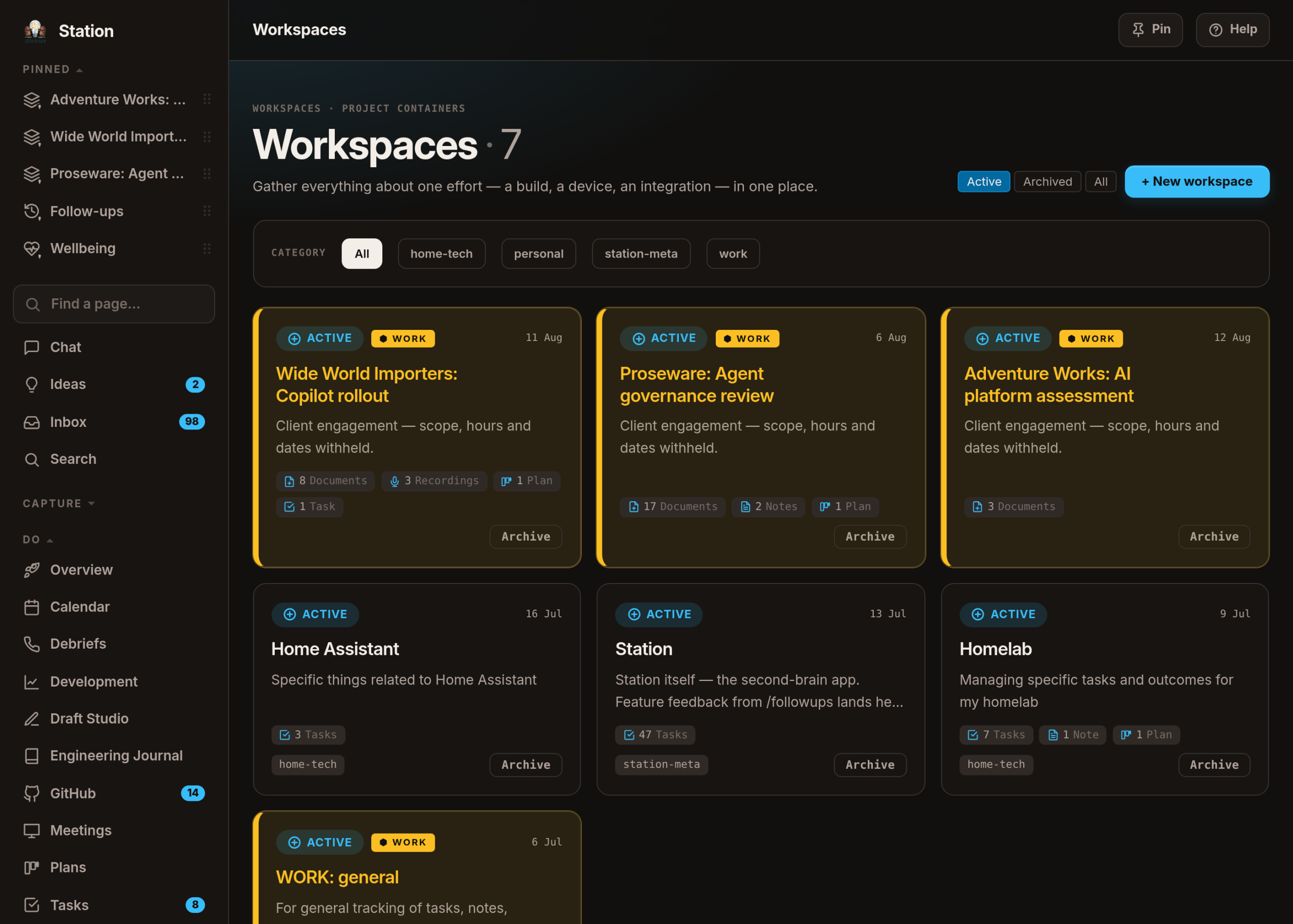
Setting a project up
A new engagement doesn’t start with a blank page. It starts with a conversation.
I drop in the statement of work and whatever kick-off material exists, and Station interviews me about it: what my role actually is, what I’m responsible for, what I’m involved in but don’t own, who the deliverables are for and when. Where the documents disagree with each other — a scope that says one thing and a plan that says another — it points at the discrepancy and asks which is true. Where they’re thin, it helps me flesh them out. The result is a project brief that is mine, in my words, and it’s what every later conversation in that workspace reads first.
I can pause that conversation and pick it up later; it finishes with partial information rather than refusing to finish at all.
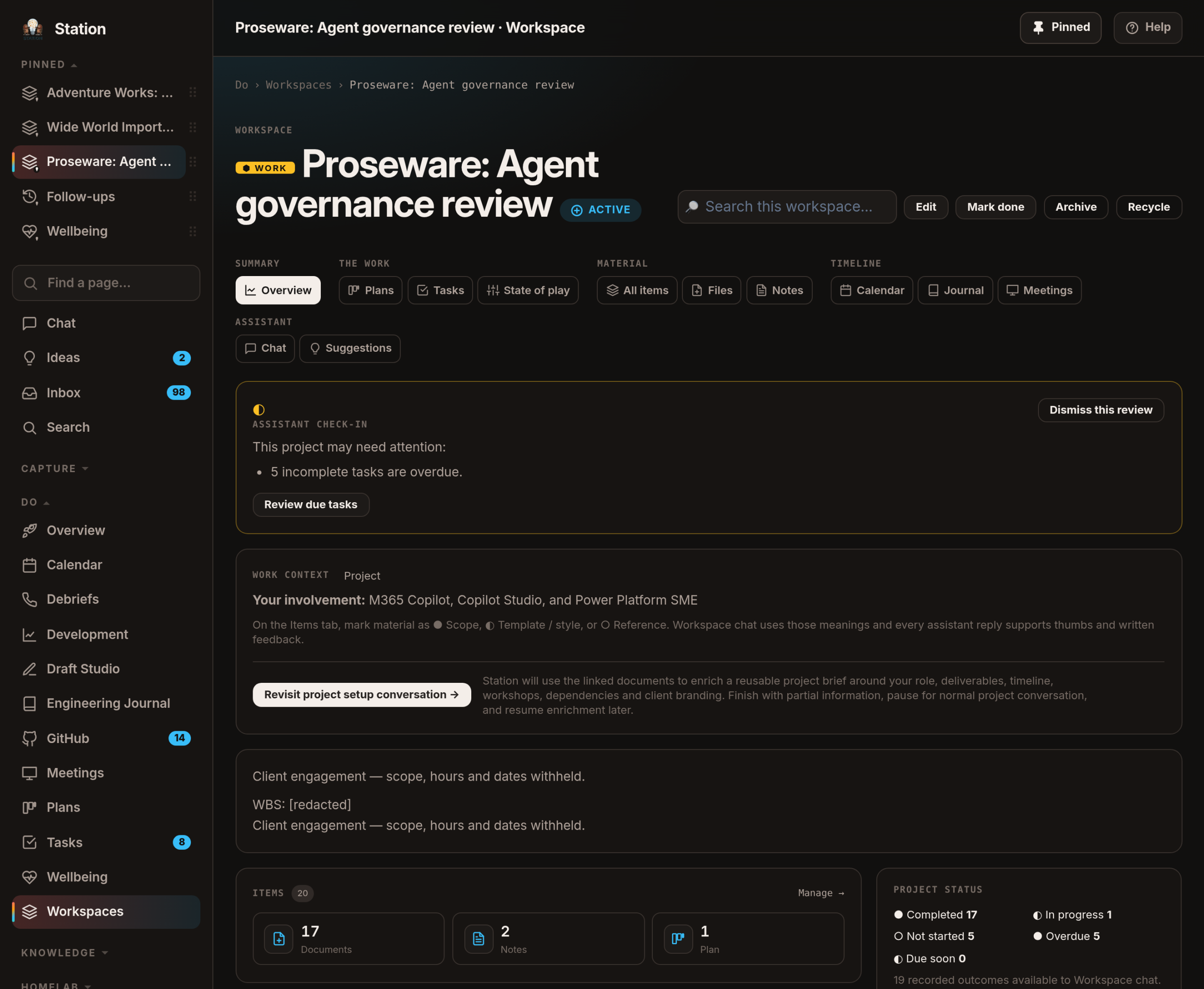
From there the workspace keeps helping me be me: an ongoing chat that knows the project’s material, a journal of what I did in it, and suggested plans and tasks drawn from what the documents say I’ve agreed to — offered, never imposed.
The box, and what never leaves it
Anything born inside a workspace — a note, a file, a meeting, a task — is workspace-only. It does not appear in the search box on the front page, in my phone’s search, or in the pool the general assistant draws on when I ask it something over dinner. If I want a thing visible everywhere, there’s a button called Share with Station, and I have to press it.
The check is made in one place, not sprinkled about, and the version the assistant uses fails closed: if it can’t tell, it excludes. Nothing is ever silently missing, though — a search tells me how many matches sit inside workspaces and offers me the door, because a boundary that quietly loses your work is worse than the leak it prevents.
Every day: three things, and what actually happened
Each morning Station asks me to name the three tasks that lead the day. Not a list of everything open — three, chosen by me, from across every project. They sit at the top of the front page until they’re done or I change my mind.
And I don’t just complete a task. When I tick it off, I record the outcome in it — what actually happened, what was decided, what I’d do differently. A done task with no outcome is a receipt; a done task with one is knowledge, and the workspace chat can read it. As at 4 September 2026, one client project alone holds 19 recorded outcomes its chat can draw on.
The workspace nudges, too, but narrowly: at most once a day per project, and only when nothing meaningful has happened for a while, work is overdue, or something is due within three days. Opening the page doesn’t count as progress — a system that congratulates you for looking at something is a system you learn to lie to.
Documents, and what each one is for
A file dropped into a workspace is marked with what it’s for, because that decides how it’s treated:
- ● Scope — the statement of work, the agreed plan. These are the non-negotiables: what the register of positions is built from, and what a deliverable must not contradict.
- ◐ Template / style — a client’s deck template, a house style. These shape how something looks, never what it says.
- ○ Reference — background, research, someone else’s slides. Read for context, quoted with care, never treated as an agreement.
Three kinds of document, three different levels of trust. It means a suggestion pulled from a reference deck can’t quietly become a "decision" just because it was written down somewhere.
What I said I’d do
Not every call or meeting can be recorded, and plenty shouldn’t be — the tool doesn’t allow it, the client hasn’t agreed, or it’s simply not that kind of conversation. None of that changes the thing I actually want, which is to remember what I committed to, regardless of what the meeting or the tooling can do.
That’s why it was critical from the outset that the recording system be built around my voice, and only my voice. There’s a microphone on my desk, gated on my voiceprint: it keeps my own speech and discards everyone else’s on the spot — never transcribed, never stored. An hour-long call can leave four minutes of audio. What comes back is a list of first-person, future-facing commitments — "I’ll send you that report" — each with the sentence I actually said, and a ✓ or ✕ from me. Nothing becomes a task on its own; there’s a button, and it opens the normal task box pre-filled with my own words.
Station also keeps a mirror of my work calendar — deliberately sparse, no attendee lists — and matches each recording to the meeting it came from by when I stopped talking, then to the client project by the attendee domains I type into the invite. When it can’t tell, it says which kind of can’t-tell it is, rather than guessing. As at 4 September 2026 it has placed 37 of 102 recordings, and I’d rather have that honest number than a confident wrong one.
What’s actually settled
Every project keeps a register of how things stand, grouped by subject. Each entry is one of three natures, stored rather than inferred: ● agreed (something we decided), ◐ observed (how the client’s environment simply is), ○ proposed (suggested, not settled). Each carries the sentence it came from and the file it came from — which is why documents are marked with a purpose on the way in.
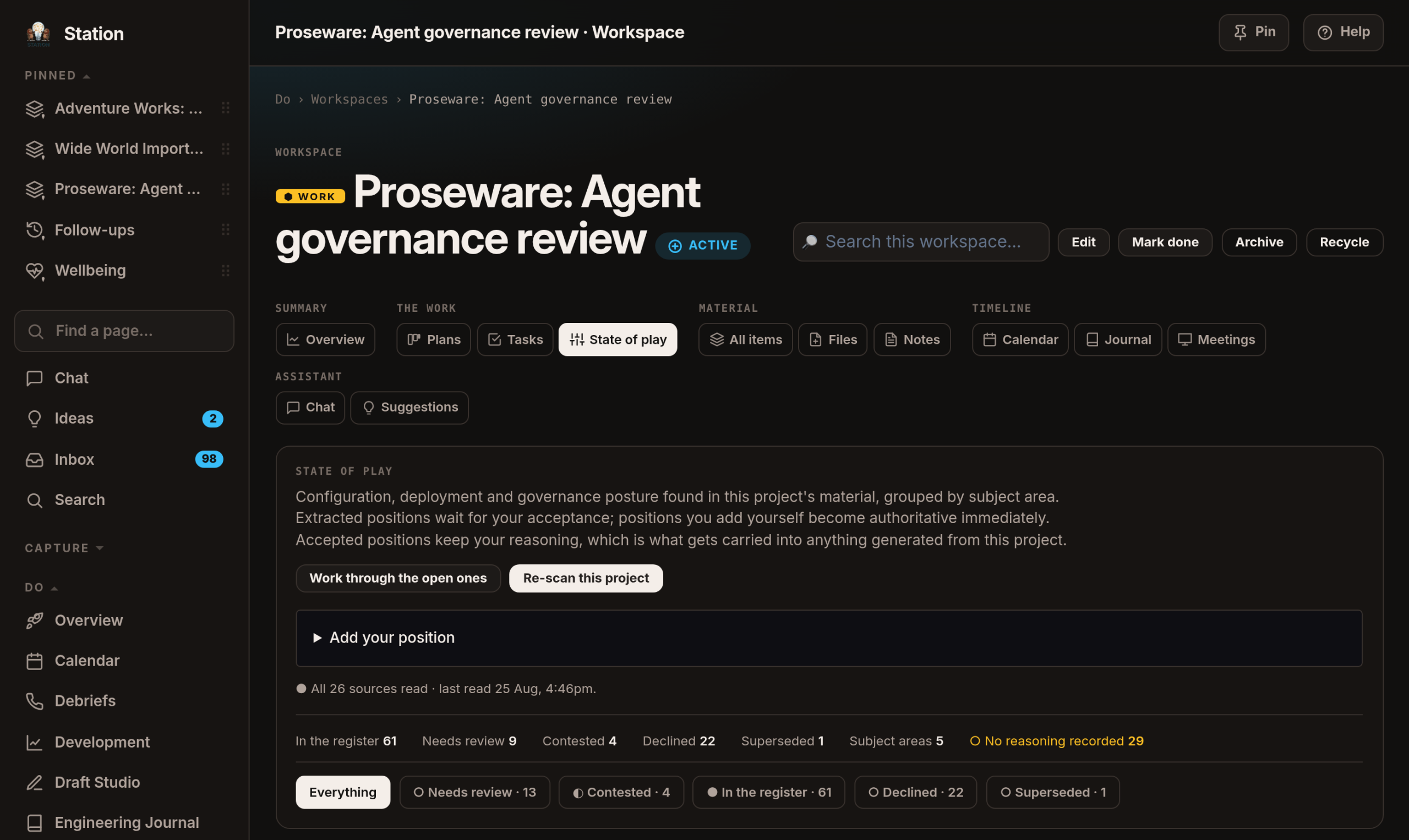
A background pass reads new material every twenty minutes; overnight, each subject area is re-read together, and anything that can’t be true alongside something else is raised as ◐ contested for me to settle. The guarantees are stated on the screen and hold: nothing is ever resolved for me, and a position I’ve accepted is never quietly un-accepted.
The deck
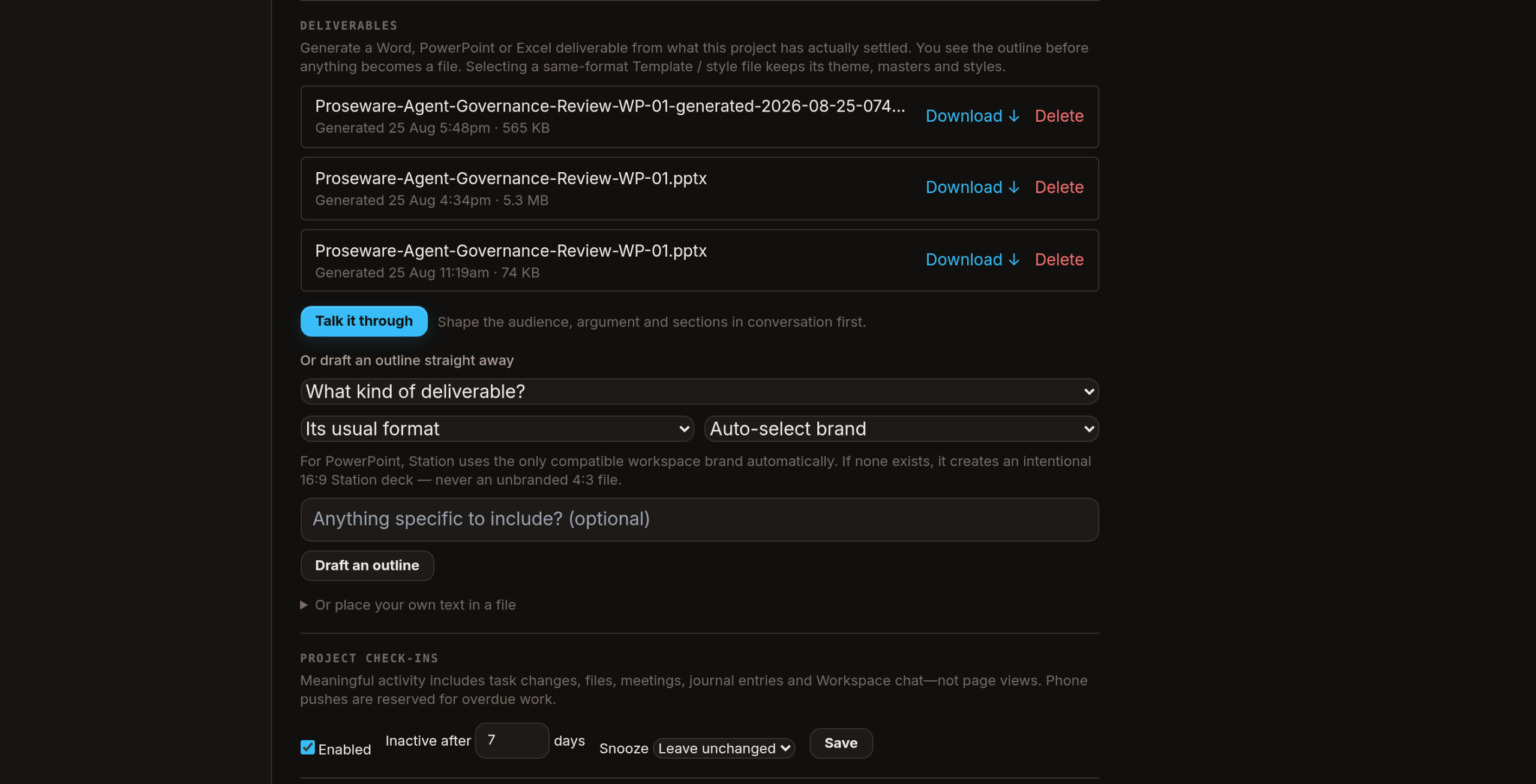
A deliverable is a real Word, PowerPoint or Excel file built from what the project has actually settled — accepted entries only, never anything still in the review queue. Before anything is rendered I either talk it through (who’s in the room, what decision the deck should produce, what they should leave believing) or ask for an outline directly; either way I see the sections first, each marked ● supported or ○ gap, so I learn a section is thin before I send it, not after.
The file comes out in the client’s own brand from their template, with charts, tables and timelines as real, editable PowerPoint objects. Client material never leaves the network to make any of it.
What I take with me
Nothing leaves a workspace unless I promote it. The other direction is the point: when I take a position on something — how a certain kind of rollout should be governed, what a particular technology should and shouldn’t be used for — Station remembers it, with the client scrubbed out of the wording, and can bring it back on the next engagement where it applies. A position can be specific to an industry, to a technology, or to both.
That library has no "new" button on purpose. A position can only exist by being earned in a real project and promoted out of it. As at 4 September 2026 it holds nothing yet — which is honest, and which is the whole point of building it now.
The numbers
Counted on 4 September 2026, evening AEST, from Station’s own database.
| Count | |
|---|---|
| Client projects · active workspaces | 3 · 7 |
| Work appointments mirrored | 1,018 |
| …filed to a project automatically | 766 (75%) |
| Recordings kept · matched to a meeting | 102 · 37 |
| Commitments extracted · confirmed · rejected | 141 · 44 · 97 |
| Register entries | 277 |
| …● accepted · ○ awaiting review · ◐ contested | 225 · 17 · 4 |
| Deliverables generated | 3 |
| Positions taken with me out of a project | 0 |
Ninety-seven commitments rejected against forty-four confirmed: the extractor is wrong more often than it’s right, and I know that because every review is a ✓ or a ✕ rather than a silent accept. Every ✕ teaches it. A tool that only counted its successes would look twice as good and get better half as fast.
What this isn’t
It isn’t my employer’s system, and it doesn’t reach into theirs. It reads a deliberately sparse mirror of my work calendar — no mailbox, no attendee lists — and whatever I choose to put in it. Client material never leaves my network to be processed.
It doesn’t act on client work by itself. It proposes; I accept. Extracted claims never silently change a project’s commitments, and uncertain matches wait rather than joining a client’s project.
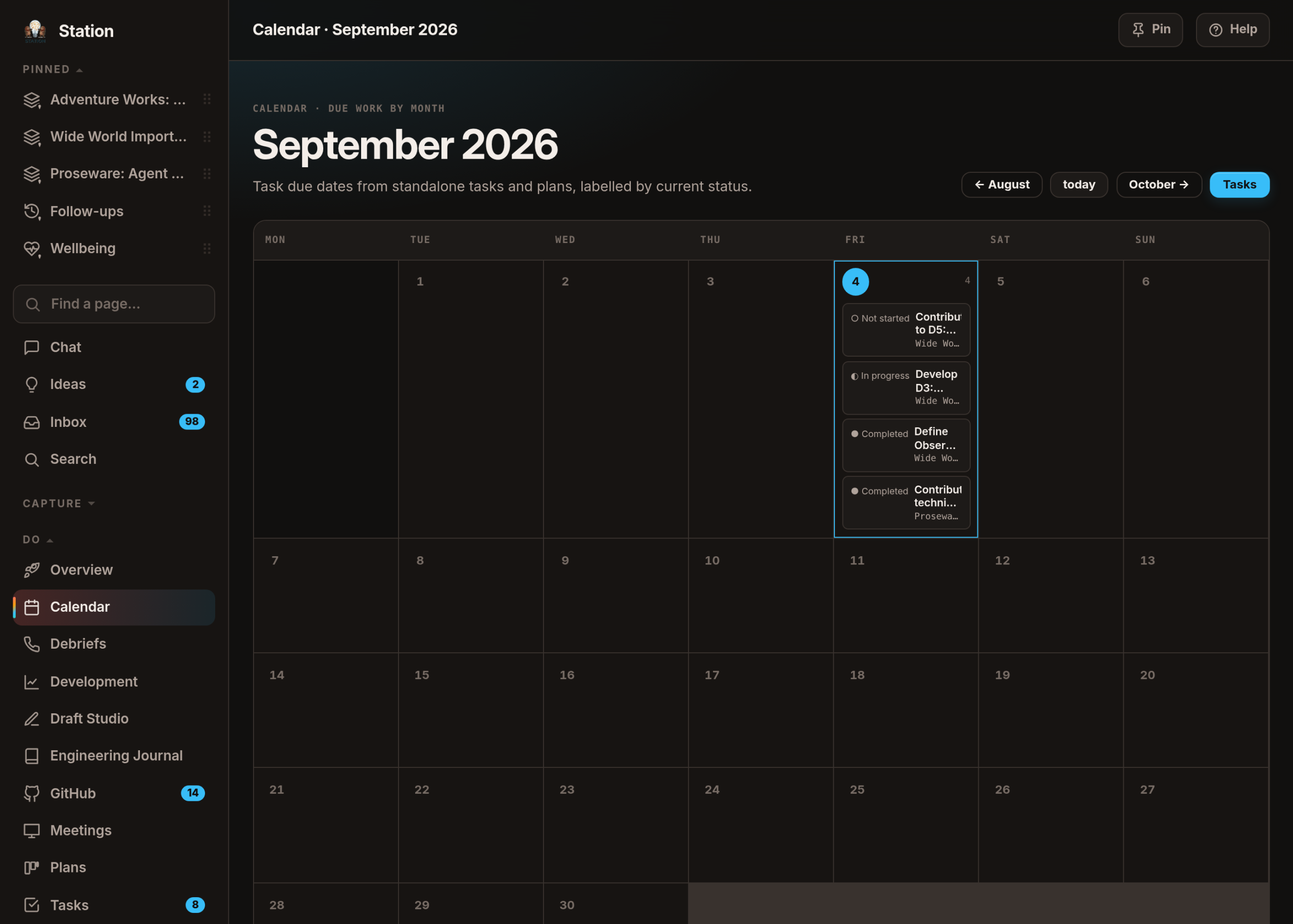
Every screenshot on this page is from a copy, not the real thing — a nightly sanitised duplicate of my Station. Adventure Works, Wide World Importers and Proseware are not my clients; they’re the fictional companies Microsoft keeps around for exactly this purpose, and the engagement names beside them are invented too.
It’s for one person. It runs on hardware in my house and it has one user.
The half of Station that isn’t work: the daily rhythm →. How the same machinery runs its own code: Station builds itself →.